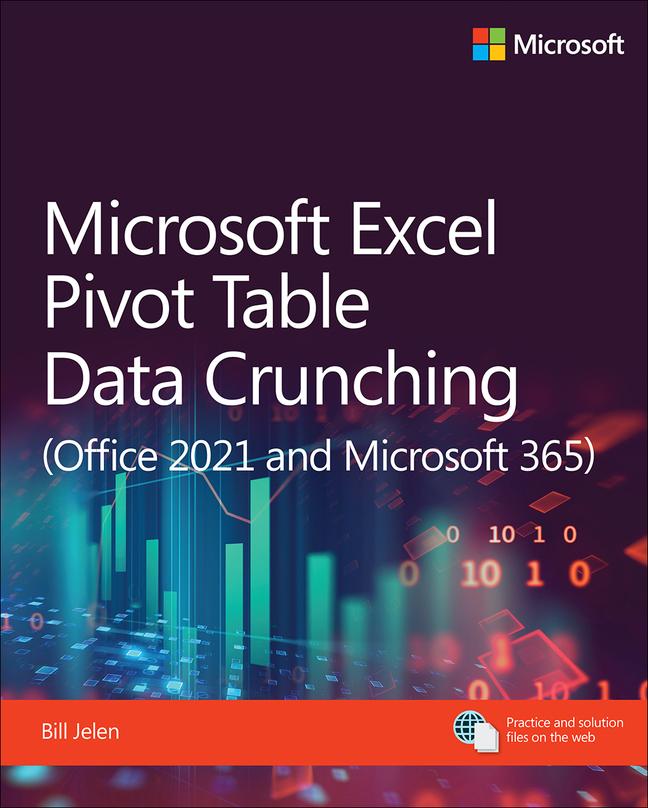
Książka Microsoft Excel Pivot Table Data Crunching (Office 2021 and Microsoft 365) Bill Jelen

Microsoft Excel Pivot Table Data Crunching (Office 2021 and Microsoft 365)

Autor: Bill Jelen
Język: Angielski
Oprawa: Miękka
Dostępność: Dostępna u dostawcy
Wysyłamy za 9-15 dni
141.37
Use Microsoft 365 Excel and Excel 2021 pivot tables and pivot charts to produce powerful, dynamic re...
Informacje o książce

Autor
Język
Angielski
Oprawa
Książka - Miękka
Data wydania
2021
strony
544
EAN
9780137521838
ISBN
0137521839
Enbook ID
36973011
Waga
984
Wymiary
189 x 232 x 32

Pełny opis

Use Microsoft 365 Excel and Excel 2021 pivot tables and pivot charts to produce powerful, dynamic reports in minutes: take control of your data and your business! Even if you''ve never created a pivot table before, this book will help you leverage all their flexibility and analytical power— including important recent improvements in Microsoft 365 Excel. Drawing on more than 30 years of cutting-edge Excel experience, MVP Bill Jelen (“MrExcel”) shares practical “recipes” for solving real business problems, expert insights for avoiding mistakes, and advanced tips and tricks you''ll find nowhere else.


By reading this book, you will:

  • Master easy, powerful ways to create, customize, change, and control pivot tables
  • Transform huge datasets into clear summary reports
  • Instantly highlight your most profitable customers, products, or regions
  • Use the data model and Power Query to quickly analyze disparate data sources
  • Create powerful crosstab reports with new dynamic arrays and Power Query
  • Build geographical pivot tables with 3D Maps
  • Construct and share state-of-the-art dynamic dashboards
  • Revamp analyses on the fly by dragging and dropping fi elds
  • Build dynamic self-service reporting systems
  • Share your pivot tables with colleagues
  • Create data mashups using the full Power Pivot capabilities in modern Excel versions
  • Generate pivot tables using either VBA on the Desktop or Typescript in Excel Online
  • Save time and avoid formatting problems by adapting reports with GetPivotData
  • Unpivot source data so it''s easier to work with
  • Use new Analyze Data artificial intelligence to create pivot tables

Możesz być zainteresowany

98.72
166.37
750.12
248.34
150.98

The Clean Coder

Robert C. Martin
153.53
171.76

Clean Code

Robert C. Martin
210.49

Excel 2022 Basics

Nathan George
111.56
84.01
247.75

Daggerheart Core Set

Spenser Starke
187.06
83.03

Kaiju No. 8, Vol. 2

Naoya Matsumoto
40.38

Klienci, którzy kupili tę książkę, kupili również

Excel VBA

A. Williams David A. Williams
65.39

First Steps in SAP

Sydnie McConnell
42.74
117.25

Excel Macros

David A. Williams
65.39